Run the dropzone from the browser
The Staff-Module of the Online-Tools brings the work of the manifest into the browser. Your staff work from the office, from the hangar or from a tablet at the landing area — on Windows, Mac, Linux, iPad or Android.
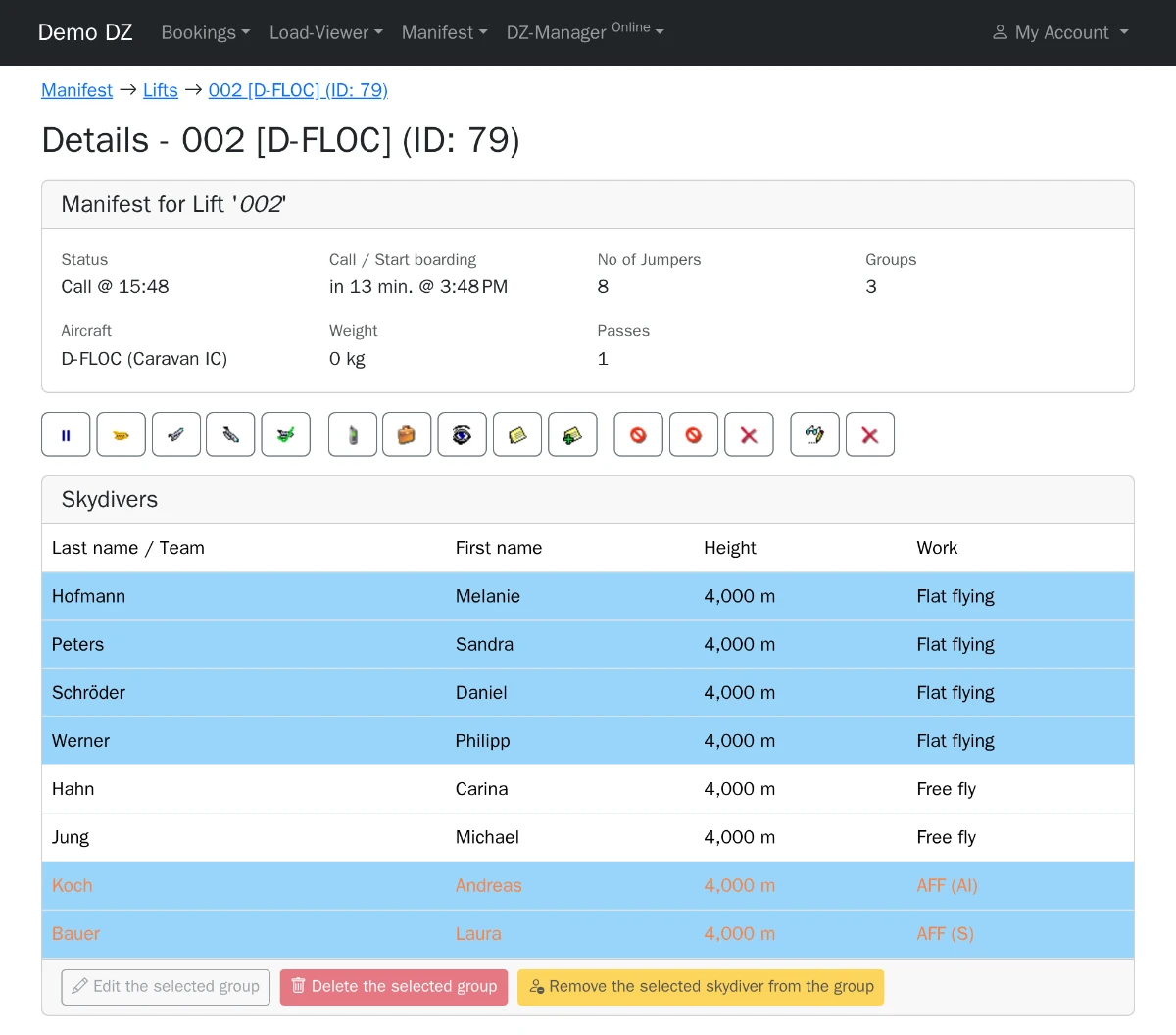
What your staff can do
Manifest with Hot Manifest: tandems, AFF students and 4-way students onto the load in one dialog.
Skydivers: search, add, edit and delete; see account and jumps; create an online account for a skydiver.
Bookings: search, reschedule a whole booking, configure the bookable slots.
Money: book payments and charges on a skydiver's account.
Loads: see the loads and set their status.
Rig management: assign tandem rigs and track pack jobs.
Jobs: staff sign up for the jobs of the day (fee per use).
Reports: overview, skydivers, jumps, loads and tandems in the browser; one click turns any report into an Excel file.
More with every update
Function by function, the Staff-Module takes over the work of the desktop app. The desktop app stays — both work on the same data at the same time.
Licensing
The Staff-Module needs the Online-Tools and uses a DZ-Manager Professional license only while a staff member works in it (floating license) — the same licenses as the desktop app. You do not pay per user, only for the sessions that run at the same time.